Powered By Blogger

Sunday, November 28, 2021

Sometimes, you just need to play a game!

 One of the many wonderful things about interactive digital boards is the fact that you can whip out an interactive game at the click of a button! Not only do my students love these games but they're also a really easy way to practice certain concepts we've learned in class to review before exams. One of my personal favorite websites for interactive ESL games is ESL Games Plus. The website itself has a ton of games and is a little bit difficult to navigate, so I definitely recommend searching for a game BEFORE you start class and not trying to find one once you've already started your lesson. The majority of the content on ESL Games Plus is free although for some printables and certain activities, you need to create an account. The good thing is that most, if not all, of the interactive games are free and there's no need to create an account to play them with your class! 

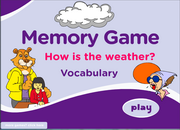
Among the different types of games offered, you can find memory games: 

Vocabulary racing games: 

Sentence-making games: 

And spelling games: 


Either as a review class before an exam, a class reward for good behavior, or just as a filler activity, these interactive games are extremely motivating for students and really get them to participate! I also find that since with these games you can play in teams, they are a great resource for building teamwork! 


ESL Games Plus. (2011-2021). https://www.eslgamesplus.com


How do I organize all these ESL resources?!

 If you're like me, once you start accumulating a lot of different ESL resources, you can easily get disorganized and as your collection gets bigger and bigger, eventually you won't be able to find the apps and websites you need! The solution to this problem is Symbaloo! This is an absolutely fantastic way to organize and visualize ALL the ICTs you've come across and can also be used to display them to your students or their families so that they can take advantage of these programs at home! A typical Symbaloo PLE (or "Personal Learning Environment") looks like this: 


This is a super intuitive, easy-to-use way of organizing all your links, webpages, resources, etc. by creating an icon for each page and then dragging and dropping the icons you create. You can organize by area, theme, and color, and each icon can have a pictogram associated to make it even easier to visualize the content! Symbaloo also gives you the option to create a PLE by teacher, team of teachers, school, or entire district, making it a great resource for schools to provide their families with access to the resources used in class! 

For more information on how to make your own Symbaloo PLE, check out this short tutorial video from the youtube channel Mr. Cook's Corner: Mr. Cook's Corner: Symbaloo Tutorial


Symbaloo - The EASY Way to Organize Your Internet Bookmarks. (22 abril, 2020). Mr. Cook's Corner. https://www.youtube.com/watch?v=7Vj63RSaADs

British Council English - a wealth of free downloadable resources!

 One of my favorite go-to sites for ESL resources is the official British Council page. I love this website as it's super organized, has a ton of resources divided by age, CEFR level, and theme, and all of the resources are...FREE! When planning a lesson, I'll usually go straight to this website and look for a general activity that works on either listening or speaking skills. All activities come with a worksheet and an audio or video file that can be played from the website. For example, here's an entire 60-minute lesson for younger primary learners (around ages 7 - 9) about the fairy tale Goldilocks and the Three Bears


After warming up by asking discussion questions about the story, students watch the video and then try to fill in the accompanying worksheet. I love these resources because there are 3 different exercises in the worksheet and depending on the level of your students, you can ask them to do exercise 1, 2, or 3. 

Next, the activity pack comes with the script for a Goldilocks play and a mask-making craft activity. When your students have finished the craft, there's a song, an online game, and if you have time leftover, there are plans for a writing extension activity. 

This is just one of a TON of different themed activities for younger primary learners. 

On the section of their site British Council Teens, you can find an amazing amount of diverse activities for secondary-age students or students who just have a slightly higher level. These activities are tailored to the interests of older children and have subjects like technology, the internet, mobile phones, and pop music. 

If you're ever stuck for an idea for a lesson plan, go to https://www.teachingenglish.org.uk to the British Council's website and you'll find a ton of inspiration for different lessons!

Goldilocks and the Three Bears. (2017). British Council. https://www.teachingenglish.org.uk


Saturday, November 27, 2021

Learning English through catchy songs!


Our next fun online ESL resource is the genius singer-songwriter Matt and his website and popular Youtube channel Dream English! With over 2.8 million subscribers, Matt is an original content creator who first started to write songs and record videos in 2009. Since then, he's had billions of views on his channel! With hundreds of original songs, Matt makes learning English fun for kids, especially focusing on early years learning and the preschool age. 

One of the many great things about Dream English is the variety of different topics Matt sings about. From letters, numbers, and colors to songs and dances about routines, holidays, animals, foods, jobs, and emotions, if you're ever stuck for an activity to do in class, Dream English has a solution for any subject in English! I personally love this channel and have used it many times in class with 3, 4, and 5 year old students. The catchy songs, cool effects and transitions, and the puppets and other tools that Matt uses make his videos ideal to motivate and catch the attention of young ESL learners. Many parents have told me that their children sing Dream English songs at home and have asked me to send them the links for Matt's videos! 


Here we have one of Matt's greatest hits: "What Do You See?" The repetition in the songs is what really helps young learners memorize the lyrics quickly and be able to reproduce them. Matt has traveled around the world, giving concerts in the US, Spain, Japan, and Thailand! I would recommend Dream English to anyone who's looking for a fun and simple way for their kids to enjoy English language learning!

For anyone who wants more info, here's a link to Matt's blog: https://dreamenglish.com/blog/

What Do You See? (2015). Dream English Kids. www.dreamenglish.com

That little green bird..!

 Hey, everyone! I'm sure you've heard of this resource before but in case you haven't, I'm here to tell you about Duolingo (the app with that angry green bird)! I've had Duolingo on my phone for a while now, in fact, I've just gotten over my 400-day streak! What is Duolingo, you ask? In simple terms, it's a fun, very user-friendly, and (most importantly) FREE app for language learning! Duolingo was first created in Carnegie Mellon University in Pittsburg in 2009 and currently has over 500 million users! 


Duolingo can be used to learn over 40 different languages, including Esperanto! It's a very intuitive app (which also has a desktop feature) and is appropriate for all ages. It's so easy, children as young as 3 have been able to start learning languages using the listening and speaking feature. Using the app, you can practice all 4 key skills (reading, writing, speaking, and listening) while working through progressively more difficult levels. 

If this weren't enough, Duolingo also has a free version specifically designed for school use, Duolingo for Schools. Teachers can set up their digital classroom and assign students homework, complete activities in class, and monitor students' progress through the online dashboard. This is an excellent app to build students' confidence in languages, motivate students, and get them actively using their language skills!

Be careful, though! Duo can be very insistent on you practicing every day and if you let your streak drop... he will let you know! 😅

Duolingo. (2009). Von Ahn, L & Hacker, S. www.duolingo.com 


Flipping in Colors with "Flipped Classroom"!

 Good morning, class! Today I've got something exciting to tell you about! We're going to start using the "Flipped Classroom...